Assets
The mascot and props. Model in Blender; export a GLB the browser can load.
Three places. Three visible actions. Three ideas people remember.
A 3D lesson works when the learner can see an idea happen. Start with a tiny world that teaches one thing at each stop.
Open the Claude workshopA request meets a check.
The action waits.
Shared instructions go
where the team can use them.
An answer meets its source.
Unsupported facts stay unknown.
Start here: choose three ideas that can become visible actions.
The six essential partsThe model is only one part of the world. The camera and interface decide whether anyone understands it.
The mascot and props. Model in Blender; export a GLB the browser can load.
Place the objects, set their scale, and light them so surfaces and shadows read.
Give every station a wide view, a close-up, and a calm transition between them.
A small state machine controls what moves, what changes, and when it finishes.
Explain the objects, describe the action, then leave the learner with one takeaway.
Inspect the actual browser experience, then publish the exact tested version.
Keep the jobs separate: Blender makes assets. The browser makes them interactive.
Design the lessonWrite this sentence first: “The learner sees this happen, so they understand that.”
A gate between a request and a tool.
The first request stops. A passing request gets through.
Drawers for personal, project, and scoped instructions.
A shared card enters the project drawer. Both teammates receive it.
Two inspection frames: structure and source.
A total changes from 100 to 90. An unsupported date becomes unknown.
Your design test: if nothing changes, it is a display. Give the learner an action to follow.
Build the assets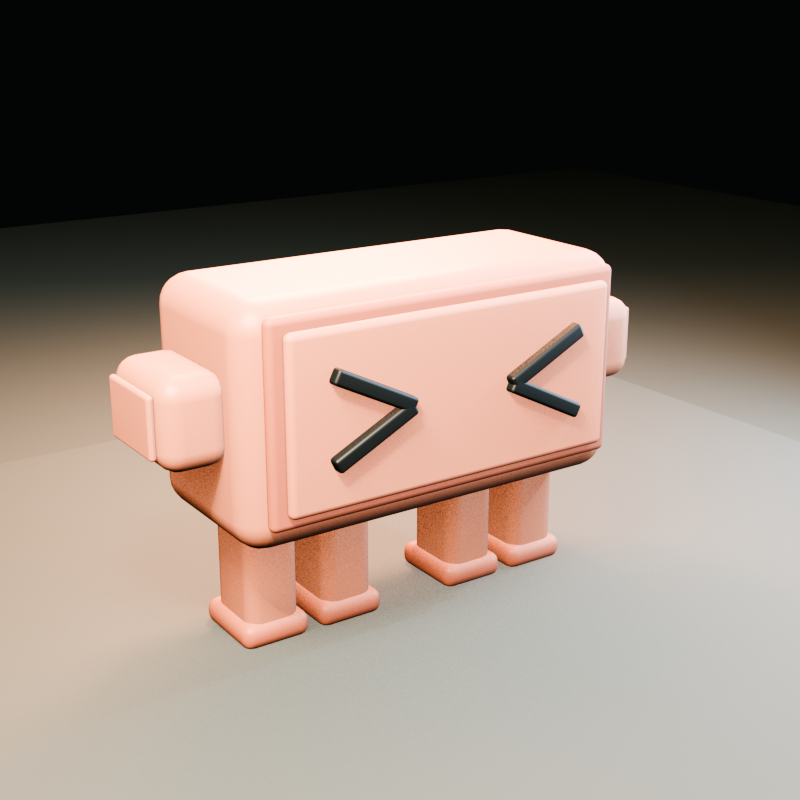
Give the agent an identity reference and a depth reference.
Delivery: keep the editable .blend, generator, and browser-ready .glb together.
A close-up directs attention. A hold gives people time to understand what changed.
Show the whole station and identify its parts.
2–3 secondsEase toward the mechanism before it starts.
2–3 secondsRun one action. Keep the important objects visible.
5–6 secondsKeep the final state still while the takeaway appears.
5 secondsControl gateA low, gentle side move.
Context drawersA rising view into the trays.
Evidence checkA lateral view of record and source.
Two ways to visit: a paced World Tour and free orbit, zoom, and pan. Include Pause and Reset.
Make the action clearA beautiful mechanism can still be confusing. One card should answer three questions.
Name the objects in ordinary language.
Match the sentence to the action on screen.
Hold one useful principle before moving on.
The yellow block is a request. The gate is a required check. The wheel represents the action.
The first request stops. A passing request opens the gate.
Use code or a blocking hook to enforce mandatory checks.
Example station card · stays beside the action
Reserve space: card beside the scene on desktop; below it on mobile. End with a three-point recap.
Choose the build orderA working first station reveals scale, framing, and interaction problems before you repeat them.
Define audience, three principles, actions, and acceptance checks.
Use simple geometry. Make the camera, demo, and explanation work together.
Import the refined GLB. Reuse the interaction pattern; vary the demonstrations.
Join the camera views, add free exploration, inspect, then deploy.
Author the mascot and export claude.glb.
Load the model, light the stage, move the camera, and animate the props.
Build the cards, station navigation, tour controls, and summary.
Develop locally, build the site, and publish the tested output.
No live AI required: these three demonstrations can be deterministic animations in the browser.
Write the prompt“Make it premium” is a taste request. Add the concrete behavior and checks that define premium for your project.
“Build an amazing 3D Claude world with three stations and beautiful animations.”
The agent still has to invent the lesson, camera, controls, and finish line.
“Create three stations. At each one, approach over 3 seconds, show a readable close-up, run one 6-second demonstration, then hold the result and its takeaway for 5 seconds.”
Then specify the mascot, palette, free-camera controls, card placement, and browser checks.
Attach the evidence: identity image, depth reference, and one experience you want the pacing to resemble.
Set the finish lineA successful export or a beautiful Blender render does not prove the visitor’s experience.
Performance: record the device, viewport, and measured frame timing. Treat a local result as a local result.
Take the complete promptThe complete prompt lives on its own page, ready to copy into your coding agent.
It includes the three Claude stations, asset requirements, camera pacing, controls, file structure, build order, and acceptance checklist.
Open the full build promptWho is learning, and what should they understand when they leave?
Give each one a physical metaphor and one visible action.
Supply the mascot reference and set a focused palette. Keep the navigation recipe.
A field guide by Mark Kashef for Early AI Adopters. Community-created learning material.
Back to the beginning